
How to Update Your KYC on iLOTBet
✅ Learn how to update your KYC on iLOTBet hassle-free. Follow simple steps and avoid delays with required documents. Stay verified, keep winning! 🎰📄
Edited By
Tunde Afolabi
Keeping your KYC (Know Your Customer) details updated on iLotBet is not just a formality; it helps protect your account and ensures compliance with Nigerian betting regulations. When your profile matches accurate information like your BVN, valid ID, and contact details, you avoid issues such as withdrawal delays or account suspension.
Many users rush to place bets without checking their KYC status, only to face bottlenecks down the line. Updating your KYC on iLotBet online is straightforward, but a clear understanding of the process keeps you running smoothly. Whether you’ve changed your address, got a new phone number, or need to correct a typo in your name, it’s essential to make these changes promptly.

Remember: Nigerian regulatory bodies require betting platforms like iLotBet to verify user identities. Keeping your KYC information current helps you stay compliant and prevents unnecessary disruptions.
In this article, you’ll learn practical ways to update your KYC information on iLotBet’s website. The step-by-step guide covers everything from logging in and uploading documents to resolving common challenges. Plus, we’ll share tips to avoid common pitfalls.
By the end, you’ll be well-equipped to handle your iLotBet KYC updates with ease, keeping your betting experience uninterrupted and secure.
Updating your Know Your Customer (KYC) information on iLotBet is more than just ticking a box — it safeguards your betting activities and keeps your account compliant with Nigerian regulations. KYC plays a key role in identifying you as a genuine user, preventing fraud, and ensuring the betting platform operates fairly. Understanding why iLotBet requests these details helps you appreciate the process and avoid delays.
The Nigerian Gaming Commission requires all betting operators to verify their customers’ identities before allowing betting activities. This rule helps weed out underage bettors and stops illegal money laundering. For iLotBet, keeping your KYC data current aligns with these laws and prevents penalties for both the company and bettors. For instance, if you change your address or name, updating your details promptly ensures you remain in good standing with regulatory bodies.
Online betting accounts are targets for scammers aiming to steal funds or launder money. KYC verification ties your account to your verified identity, making it harder for fraudsters to pose as you. Say someone gets hold of your login details; the extra identity checks protect you from unauthorised withdrawals. Updated KYC details mean iLotBet can confirm it’s truly you before approving sensitive transactions, reducing fraud risk considerably.
Correct KYC data supports iLotBet’s commitment to fair play. By verifying users, the platform prevents multiple accounts run by the same person, which can distort betting outcomes. Also, accurate KYC helps detect unusual activities, flagging potential cheating or collusion. This protects both serious bettors and the integrity of the betting environment.
You’ll need to provide official ID like a Nigerian National Identity Number (NIN), international passport, or driver's licence. This confirms your identity and age, proving you are legally allowed to gamble. Personal identification is fundamental because it forms the baseline for every other verification step.
Documents such as utility bills, bank statements, or tenancy agreements that clearly show your name and current address are required. This helps iLotBet verify where you live, which is essential for both compliance and security checks. It also assists in preventing fraudulent account creation using fake addresses.
Your bank account information is necessary to process winnings and withdrawals smoothly. iLotBet ensures these details match your verified identity to prevent money laundering or theft. For example, if your bank name or account number changes, updating your KYC ensures you continue receiving payouts without hitches.
Keeping your KYC information accurate on iLotBet protects your account, speeds up withdrawals, and keeps you compliant with Nigerian law. Take updating your data seriously to avoid unnecessary delays or restrictions.
Keeping your KYC details up to date on iLotBet is essential for smooth transactions, withdrawals, and compliance with Nigerian gaming regulations. Whether you have changed your phone number, updated your address, or got a new identification document, following the right steps is key to avoiding delays or account restrictions.
Logging into your iLotBet account online is the first step. Use your registered username and password on iLotBet’s official website or mobile app. It’s best to do this on a secure network to protect your details. Once logged in, make sure your account is active and not flagged for pending verification from previous sessions.
Navigating to the KYC or profile section typically involves clicking your account name or user icon, usually found at the top right corner. From the dropdown menu, select “Profile” or “KYC Details”. This area displays your current personal information and documents. Some users might find it under “Settings” or “Account Info” depending on recent app updates. Knowing exactly where your data sits speeds up the update process.
You can edit your name, phone number, or email directly in the KYC section. For instance, if you’ve switched mobile networks and got a new number, updating it here ensures you receive important alerts and withdrawal confirmations without hassle. Remember, the details must exactly match those on your official documents like your National ID or Driver’s Licence to avoid verification issues.
Uploading new identity documents is often necessary when your documents expire or you legally change your name or address. iLotBet usually accepts Nigerian National Identity Cards, International Passports, and Driver’s Licences. Make sure your new documents are valid and clearly show your details to avoid rejection.
When submitting your documents, accepted formats generally include JPEG, PNG, or PDF. Each file should not exceed the platform's size limit—often around 5 MB. This keeps uploads fast and prevents technical errors.
Uploading documents clearly and correctly means avoiding blurry photos, glare, or cropped edges. A tip is to take a clear photo under good lighting and double-check every corner is visible before uploading. This helps speed up the verification process.
Expect verification to take from 24 to 72 hours depending on iLotBet’s workload. It’s best to update your KYC well before you plan to withdraw funds to avoid delays.
Being thorough during each step ensures your details update quickly with minimal hassle, keeping your betting experience secure and uninterrupted.
Updating your KYC details on iLotBet should be straightforward, but various hiccups can slow the process. Troubleshooting these issues is important to avoid delays, especially when you want quick withdrawals or access to promotions. Understanding common problems helps you prepare better and resolve snags efficiently.
One top reason documents get rejected on iLotBet is clarity. Blurry, poorly lit photos make it hard for the verification team to read your details. Also, documents that are expired or don’t match the information on your account will be refused. For example, if your ID shows a different address from the one you submitted, the platform flag your upload.
To avoid rejection, ensure images or scans are clear and legible. Use natural light or a bright lamp to prevent shadows and glare. Avoid using compressed images or screenshots that reduce quality. When taking snaps, place the document flat on a dark, plain surface and keep your camera steady to prevent blur. Double-check expiry dates and confirm all information matches your profile before uploading.
If your KYC information stays unchanged even after uploading documents, contact iLotBet customer support promptly. They can provide insights into why the update is stuck—maybe due to pending verification or technical glitches. Use the official support channels like live chat or email, and be ready to provide your account details and copies of your documents again if requested.
Following up on verification is crucial, especially if several days pass without update. Sometimes submissions require manual review, causing delays. Regularly check the verification status through your profile dashboard. If no progress shows after a reasonable period—usually 48 to 72 hours—it’s wise to remind support politely. Keeping track reduces frustration and helps you stay informed about your account’s standing.
Tip: Always keep backup copies of your documents and clear screenshots of submissions. This can speed up dispute resolution if issues crop up.
Identifying and fixing these common issues keeps your iLotBet account up to date and secure, ensuring smooth betting experience without unnecessary hold-ups or frustration.
Keeping your Know Your Customer (KYC) details current on iLotBet is vital for uninterrupted access to your betting account and hassle-free withdrawals. Without a proper update, your account risks restrictions or delays. These tips help you navigate the update process with minimal stress, saving time and avoiding repeated verification cycles.
Start by verifying that your identity documents are still valid. For example, if you're using a national ID card or international passport, ensure they haven't expired. Submitting expired documents is one of the fastest ways to get rejected, causing delays. Practical step: look at the expiry date stamped on your document before uploading. If a driver's licence or utility bill is part of your proof of address, confirm these are recent enough according to iLotBet’s specifications, usually within the last three months.
Quality of the upload matters just as much as validity. Photos should be sharp and properly lit; avoid shadows, glare, or reflections that obscure critical details like your face, document number, or address. A common problem is taking pictures under harsh sunlight or using flash that creates shiny white patches. Instead, try scanning documents with flatbed scanners or use your phone camera in a well-lit room. If possible, use apps that scan and enhance image clarity automatically. Clear images speed up verification and reduce calls from customer service asking for resubmissions.
Always ensure the information you enter on iLotBet matches exactly what’s on your official papers. For instance, if your full name in your passport is "Adebola Olufemi Ajayi", you shouldn’t use just "Ade Ajayi" in your profile. Even minor differences in spelling or format can throw up red flags during verification. This consistency extends to addresses and phone numbers. Double-check everything before submission.
Discrepancies such as mismatched birthdates, outdated phone numbers, or differing addresses can stall your verification. For example, if your utility bill shows an old home address but you submit a new address elsewhere, iLotBet’s system may flag this. Such mismatches require manual review, which can take days longer. To avoid this, gather all documents first and ensure they reflect current, matching details before starting the update.
After submitting your KYC updates, keep an eye on the verification status on your iLotBet profile dashboard. The platform usually provides notifications or a status section indicating whether your documents are under review, approved, or need resubmission. Regularly checking this avoids unnecessary waiting and surprises. Also, check your registered email and SMS, as iLotBet often sends updates through these channels.
Verification usually takes 24 to 72 hours but can extend longer during peak periods like ember months or big sporting events. If additional info is needed, iLotBet will notify you promptly. Respond quickly to such requests with precise documents to keep the process moving. Delays often happen when users ignore follow-up messages or submit incomplete information.
Remember, a well-prepared KYC update avoids needless holdups and safeguards your betting experience on iLotBet. Treat the process seriously and be thorough for the best results.
✅ Learn how to update your KYC on iLOTBet hassle-free. Follow simple steps and avoid delays with required documents. Stay verified, keep winning! 🎰📄
Learn how to register and use Ilotbet Shop online via mobile in Nigeria 📱. Get secure access, smart tips, and enjoy a smooth, exciting betting experience from anywhere.
🔐 Discover how to log in to iLOTBet smoothly with clear steps, security tips, and fixes for common issues. Get set for your best betting experience today! 🎯
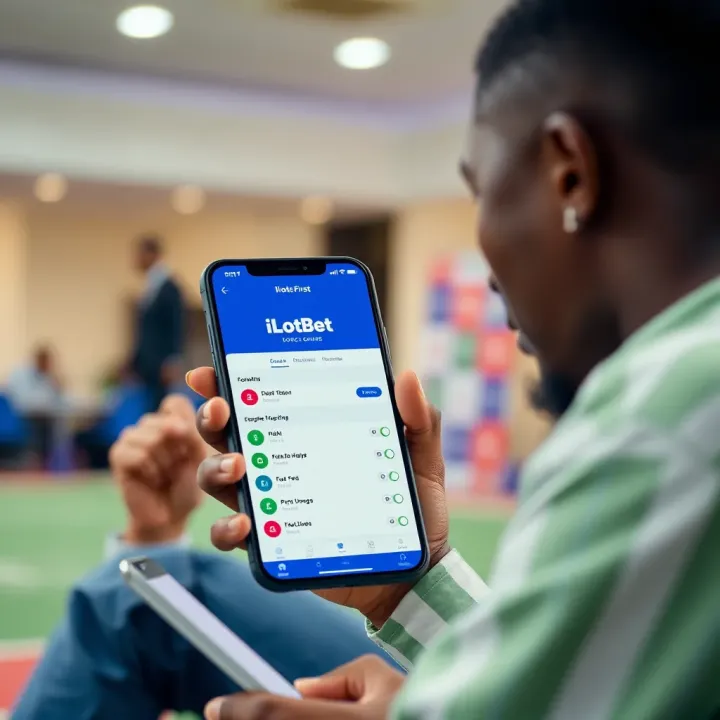
📲 Learn how to login to iLotBet easily with this guide for Nigerian users. Get tips on account security, solve common login issues, and explore alternatives quickly.
Based on 6 reviews